

Top Picks for Streamers: Discover the Best Webcams for Streaming
Imagine you’re launching your streaming career; you have your script ready, your gaming setup is top-notch, but your video quality is lacking. This one bottleneck can detract significantly from your viewer’s experience. Choosing the right webcam for streaming is paramount not just for clarity and quality, but also for engaging effectively with your audience. Upgrading to a high-performance webcam can be akin to upgrading your entire streaming setup, offering better color, sharper resolution, and smoother frame rates which are indispensable for creating professional and immersive content.
Today, we analyze a range of standout webcams tailored to meet a variety of streaming demands. From crystal-clear 1080p broadcasts to robust 4K streams, the market has extensive options. Brands like Logitech, Razer, and Elgato are pushing the limits with technology designed to make every frame count. Whether you’re hosting a casual social stream or a professional broadcast, selecting the right webcam can uplift your streaming experience significantly.
Logitech StreamCam
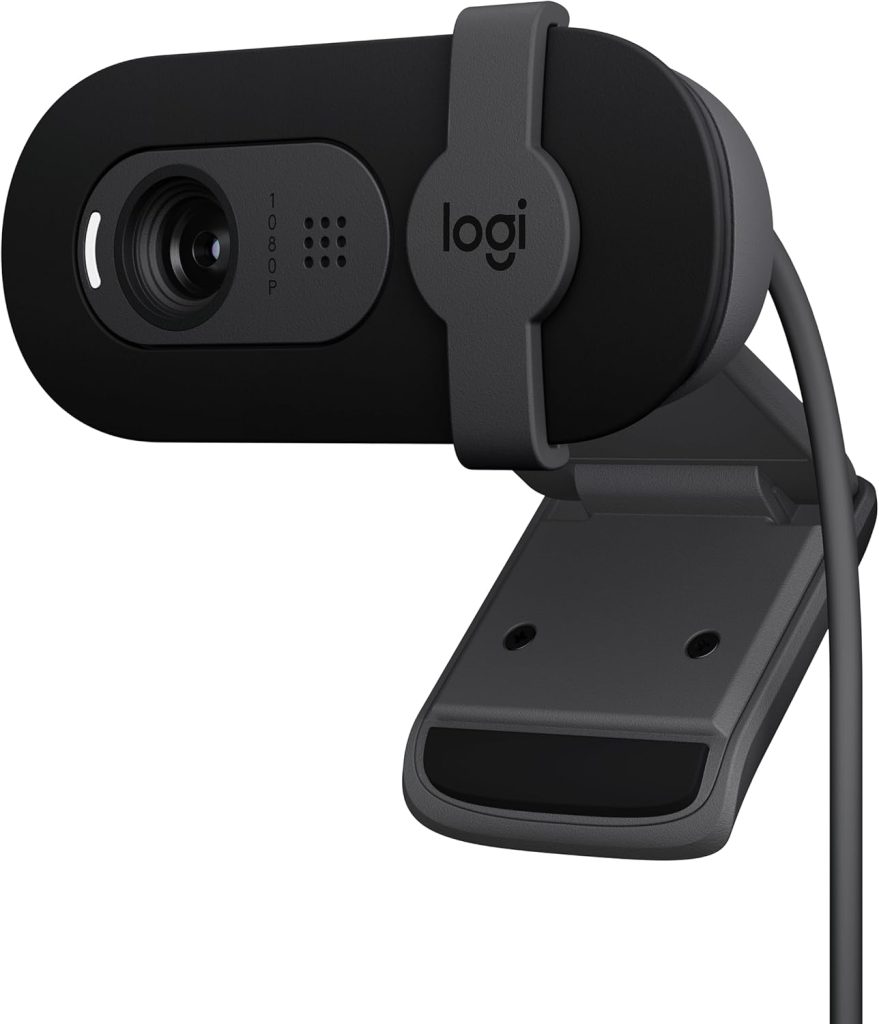
The Logitech StreamCam isn’t just a webcam; it’s a robust streaming partner designed for content creators who need versatility plus quality. It’s ideal for new streamers who want a premium plug-and-play solution.
Pros
- Optimized for streaming with a 1080p/60 fps capture rate.
- Auto-framing feature keeps you in focus even during movement.
- Supports both landscape and portrait recording.
- Integration with popular streaming software is seamless.
- USB-C connectivity allows faster data transfer.
Cons
- Relatively higher price point.
- Lacks 4K resolution.
Key Features & Benefits
The Logitech StreamCam is tailor-made for streamers. Its ability to capture smooth, crisp video in Full HD at 60 frames per second ensures that every stream looks professional. This camera is particularly appreciated in the streaming community for its facial recognition auto-framing; it keeps you centered even as you move around your setup, which is extremely useful during animated streams or when you interact with your surroundings. Another standout feature is the USB-C connectivity, which not only makes the setup easier but also grants swift data transfer, ensuring your stream has minimal lag.
Moreover, for content creators who love to mix things up, the StreamCam allows easy switching between portrait and landscape modes. This feature is especially beneficial for content creators who pivot between different platforms like Twitch, YouTube, or Instagram, where aspect ratios can significantly affect video presentation. The inclusion of premium audio support further simplifies a streamer’s setup by mitigating the need for an external microphone during informal streams.
Razer Kiyo Pro
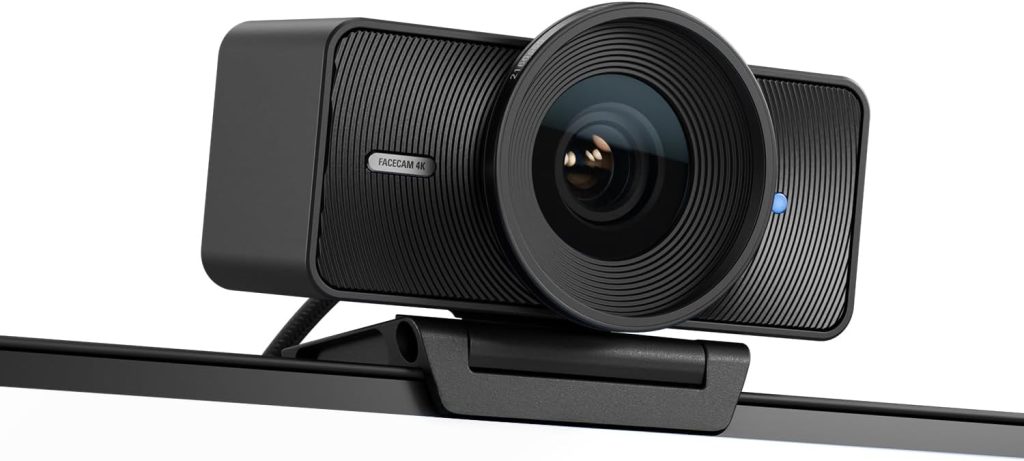
With its adaptive light sensor, the Razer Kiyo Pro stands out as a powerful contender for streamers faced with variable lighting conditions. This webcam adjusts dynamically, providing superb image quality in nearly any environment.
Pros
- High-performance adaptive light sensor.
- Uncompressed 1080p 60fps for ultra-smooth video.
- Wide-angle lens with adjustable FOV.
- Superior low-light performance.
- Includes a robust privacy cover.
Cons
- Does not support 4K video resolution.
- Premium price may not suit all budgets.
Key Features & Benefits
The Razer Kiyo Pro is designed to deliver studio-like quality under varying lighting conditions. The adaptive light sensor technology used in this webcam is a standout, adjusting intelligently between dimly lit and well-lit settings without compromising video quality. This makes the Kiyo Pro an exceptional choice for streamers whose environments are not always controllable, such as those who travel often or stream from multiple locations.
Performance is further bolstered with the capability to deliver uncompressed 1080p video at 60 frames per second, making your live streams exceptionally smooth and detailed. The adjustable field of view (FOV) gives you control over how much of your space viewers can see—crucial for preserving privacy or focusing on key elements in your background. For streamers concerned about security, the included privacy cover offers peace of mind by blocking the camera when not in use.
Elgato Facecam
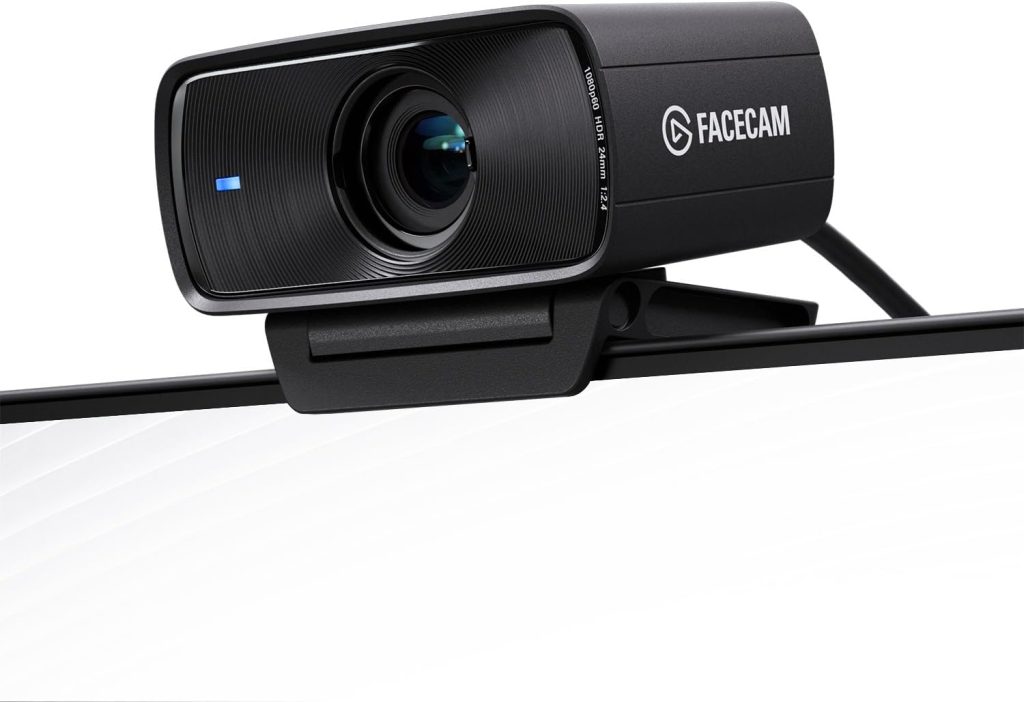
Targeting hardcore streamers and professionals, the Elgato Facecam has been engineered to integrate seamlessly with your existing broadcasting setup. Its superior lens and sensor offer studio-grade captures, ideal for high-quality interactive streaming.
Pros
- True Full HD lens with premium glass optics.
- Advanced image engine for minimal compression.
- Easy configuration via Elgato’s Camera Hub software.
- Detachable USB-C cable enhances portability.
- Sleek, modern design fits well in any setup.
Cons
- Lacks built-in microphone.
- Higher cost relative to features provided.
Key Features & Benefits
The Elgato Facecam is crafted for professional streamers who demand the highest video quality. Featuring a state-of-the-art sensor paired with top-tier glass optics, it captures every detail and color with minimal compression, preserving the integrity of every visual element. This webcam’s strength lies in its focus on video quality and customization through Elgato’s own Camera Hub software, which allows you to adjust settings like exposure, framing, and stabilization to fit your individual streaming needs.
Designed with streamers in mind, the detachable USB-C cable provides not only better file transfer rates but also makes the system highly portable. You can set up your streaming station without being tethered closely to your PC. While the absence of a built-in microphone might seem like a drawback, it actually encourages the use of higher-quality, standalone microphones, which can significantly enhance audio quality compared to integrated webcam microphones.
How to Choose the Right Top Picks for Streamers: Discover the Best Webcams for Streaming
Choosing the ideal webcam involves more than just popping into a store or randomly picking one online. Streamers need to consider several key aspects:
- Compatibility: Ensure the webcam is compatible with your operating system and streaming software.
- Performance: Look for high frame rates and resolutions for a smooth and clear picture.
- Features: Does it have auto-focus, built-in microphones, low-light correction? These can all influence your streaming quality.
- Build Quality: A well-built webcam can withstand frequent adjustments and handling.
- Budget: Webcams come in various price ranges; invest according to your needs and how often you’ll use it.
FAQ
- What resolution do I need for professional streaming?
For professional quality, aim for at least 1080p. This provides sufficient detail for most viewers, though 4K is becoming more popular. - Does a higher frame rate matter in a webcam?
Yes, a higher frame rate can make your video stream smoother and more appealing. Ideally, aim for 60 fps if possible. - Are built-in microphones in webcams good enough for streaming?
While convenient, built-in microphones usually lack the quality of dedicated microphones. It’s often better to invest in a separate mic for professional streams. - How important is the field of view in a streaming webcam?
Field of view should be considered based on how much of your space you want to show. Wider angles are better for dynamic or movement-rich streams. - What should I look for in webcam software?
Look for software that allows detailed adjustments to settings like exposure, color balance, and frame rate which can greatly enhance your video quality. - Can webcams be used for more than just streaming?
Absolutely. They’re also excellent for video conferencing, creating content like vlogs, and more.
Conclusion
Choosing the right webcam for streaming is a critical step in building a successful online presence. Each of the webcams we’ve discussed today offers something special for different types of streamers. Understanding your specific needs, environment, and audience will guide you to the best choice. Whether you prioritize image quality, ease of use, or advanced features, there’s a webcam out there that’s perfect for your setup. Invest wisely, considering both your current needs and future growth, and take your streaming experience to the next level.
Remember, your chosen webcam becomes your portal to the world and your primary connection with your audience, making it not just a tool, but a part of your streaming identity. Whether you’re interacting with followers, discussing topics, or sharing content, the right webcam will ensure you always come across in the best light.