

Top Picks for Best Gaming Monitors: Essential Features and Buying Guide
Catching a glimpse of an enemy sniper lurking in the shadow or notching a headshot at 300 yards requires more than keen game sense and fast reactions. It relies heavily on the kind of gaming monitor you use. A superior gaming monitor turns milliseconds into competitive advantage, makes colors pop like you’re inside the game itself, and synchronizes frame rate with eye movement to prevent lag. Today, we will traverse the realm of top gaming monitors, ensuring you find the best fit for your gaming setup, focusing on hallmark brands like ASUS, Samsung, and Dell.
Endowed with breakthrough technology and eyelid-flipping refresh rates, today’s gaming monitors offer a smorgasbord of features designed to elevate your gaming performance and comfort. But with numerous choices out there, complete with tech-speak and specs to sort through, how do you select the one ideally suited to your gaming habits and budget? This guide, curated through meticulous comparisons and highlights, is geared to help you make that decision wisely.
Samsung Odyssey Neo G9
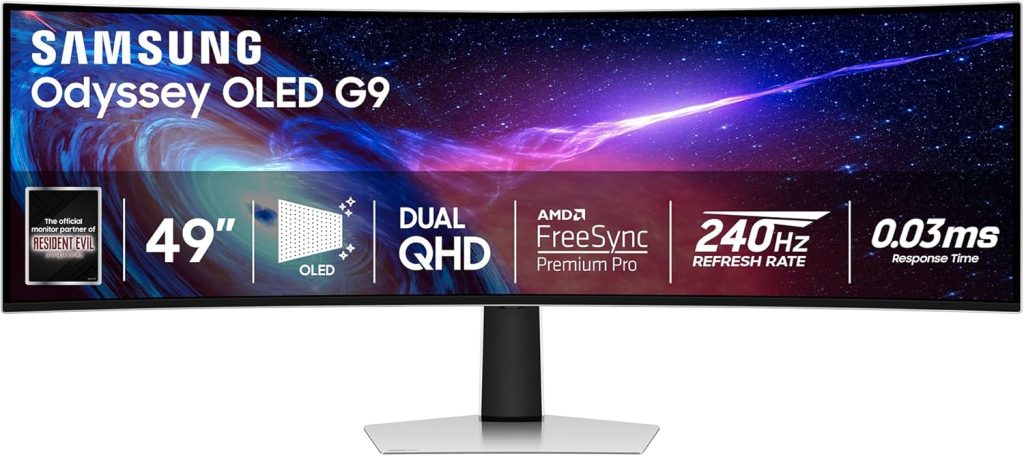
Immerse yourself in a gaming experience that stretches across your peripheral vision with the Samsung Odyssey Neo G9. Famous for its ultra-wide display and quantum mini-LED technology, this monitor is like having a cinema expressly for gaming right on your desk.
Pros
- Exceptional 49-inch DQHD resolution
- Blazingly fast 240 Hz refresh rate
- Deep blacks and bright whites with Quantum HDR2000
- Immersive 1000R curvature
- Built-in KVM Switch
- Supports Nvidia G-SYNC and AMD FreeSync Pro
Cons
- Requires significant desk space
- Hefty price tag
Key Features & Benefits
With a resolution of 5120×1440, the Samsung Odyssey Neo G9 offers detail and clarity that can be the difference between seeing an adversary or staring at the respawn screen. Its Quantum Matrix Technology harnesses precision-controlled LEDs, enhancing contrast and controlling the light source, making dark areas darker and bright areas brighter. Picture quality reaches new heights with HDR2000, rendering every frame with peak brightness and profound depth.
The monitor’s 1000R curvature matches the human eye curve, providing unparalleled immersion and less eye strain during extended sessions. The 240 Hz refresh rate eliminates lag for surreal fluidity, which is an absolute game-changer in fast-paced gaming situations. Whether you’re navigating a high-speed chase or in an intense battle scene, the Odyssey Neo G9 keeps up with every move you make.
ASUS ROG Swift PG279QM
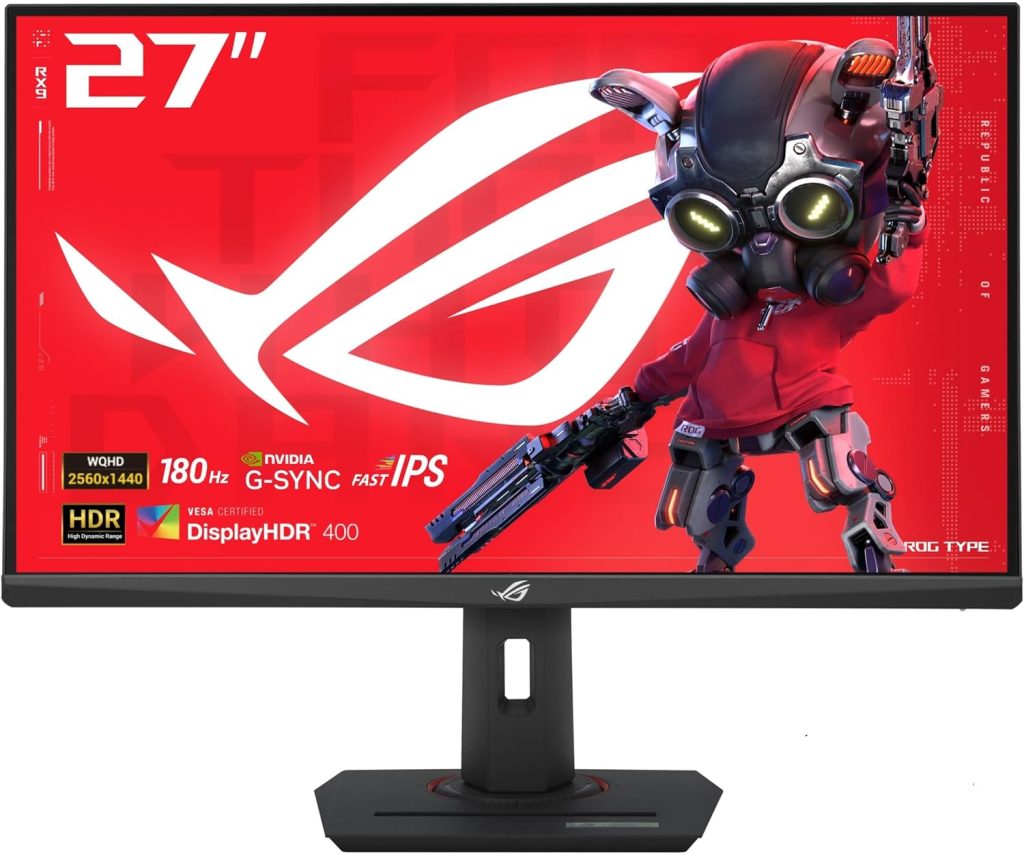
For the serious competitive gamer, the ASUS ROG Swift PG279QM might just be your next secret weapon. Its reputation for providing incomparable motion clarity and sharp visuals makes it an elite choice for e-sports aficionados.
Pros
- Speedy 240Hz refresh rate and 1ms response time
- Vivid IPS display with QHD resolution
- NVIDIA G-SYNC technology for smooth gameplay
- Extensive connectivity options including HDMI and USB 3.0 hub
- Ergonomic design with adjustable stand
Cons
- Relatively high price point
- Speakers are not particularly powerful
Key Features & Benefits
This 27-inch powerhouse leverages an IPS panel that not only provides wide 178-degree viewing angles but also introduces an exceptionally color-accurate QHD (2560 x 1440) display. The integration of NVIDIA G-SYNC technology prevents screen tearing and offers super-smooth transition by syncing the GPU and monitor frequencies. The ROG Swift PG279QM goes a step further with Reflex Latency Analyzer, a powerful tool that measures system latency, helping players optimize their system settings for the ultimate competitive edge.
Adjustability is another front where this monitor excels. With pivot, tilt, swivel, and height adjustments, it promotes optimal comfort; crucial for those marathon gaming sessions. The monitor also features Aura Sync lighting on the rear, providing a pleasing ambient light that can synchronize with other Aura-enabled components and peripherals for a comprehensive gaming environment.
How to Choose the Right Top Picks for Best Gaming Monitors: Essential Features and Buying Guide
Selecting the right gaming monitor is crucial in ensuring you get the most out of your gaming experience. Here are critical factors to consider:
- Resolution and Size: Higher resolution monitors deliver clearer and more detailed images. Balance the resolution with screen size to ensure optimal pixel density.
- Refresh Rate: A higher refresh rate offers a smoother picture and is essential for competitive gaming. Look for monitors with at least 144 Hz, especially if you play fast-moving games.
- Panel Type: Choose from IPS, TN, and VA panels, each offering distinct advantages regarding color accuracy, response times, and viewing angles.
- Response Time: Monitors with low response times reduce ghosting in fast-paced games. Aim for something lower than 5ms if you are a hardcore gamer.
- Adaptive Sync: Technologies like NVIDIA G-SYNC and AMD FreeSync can significantly improve gaming smoothness by eliminating screen tearing.
- Ergonomics and Connectivity: Consider monitors with height adjustments, tilt, and swivel options for better ergonomics. Also, check for sufficient ports as per your connectivity requirements.
FAQ
What does monitor response time mean for gaming?
Response time refers to how quickly a monitor can change the colors of pixels, often from grey-to-grey. Faster response times can prevent motion blur and are vital for high-speed gaming.
Can monitor size affect gaming performance?
While larger monitors provide more immersive experiences, they require higher resolutions to maintain image quality. Choose size based on your preference and desk space.
Is adaptive sync necessary for gaming monitors?
While not necessary, adaptive sync technologies like G-SYNC and FreeSync dramatically improve visual clarity and fluidity, especially in fast-paced games.
How does the refresh rate impact gaming?
The refresh rate, measured in Hz, indicates how many times a monitor can refresh the displayed image per second. Higher refresh rates result in smoother gameplay and are crucial for competitive gaming.
What’s the difference between IPS, TN, and VA panels?
IPS panels offer the best color and viewing angles, making them ideal for gaming and professional applications. TN panels have faster response times but poorer color accuracy. VA panels provide excellent contrast with better viewing angles than TN.
Should I consider HDR for a gaming monitor?
High Dynamic Range (HDR) increases the overall dynamic range of images, enhancing the realism and visual depth in games. While beneficial, ensure the monitor meets DisplayHDR standards for true HDR support.
Conclusion
Identifying the best gaming monitor encompasses examining intricate details that align with your specific gaming preferences. Each monitor we’ve discussed stands out for unique reasons, from the cinematic splendor of the Samsung Odyssey Neo G9’s expansive display to the competitive clarity of the ASUS ROG Swift PG279QM and the pioneering technology of the Dell Alienware AW3423DW. Consider what characteristics are most essential for your gaming experience—be it speed, color fidelity, or innovative technology — and let your final decision resonate with those priorities. Armed with this information, you’re well on your way to selecting a monitor that not only complements but enhances your gaming prowess.