
Top Picks for Best Gaming Microphones for Streaming: Enhance Your Livestream Audio Quality
Imagine this: you’re deep into an intense live gaming session, your viewer count is skyrocketing, and your chat is buzzing with excitement. However, amidst the chaos, a recurring comment pops up: “Can’t hear you well!” Poor audio quality can break the immersive experience for your viewers, turning an otherwise thrilling stream into a frustrating ordeal for your audience. Selecting one of the top gaming microphones for streaming can transform your broadcast, providing crystal clear audio that captures every nuance of your voice, from the thrill of victory to the agony of defeat.
In your quest for stardom in the digital arena, the choice of microphone can play a pivotal role. Whether you’re a seasoned pro looking to upgrade your setup or a newcomer aiming to make a mark, understanding the nuances of what makes a great streaming microphone is essential. This roundup will explore various models that stand out in the market, ensuring your voice is heard loud and clear.
Blue Yeti X
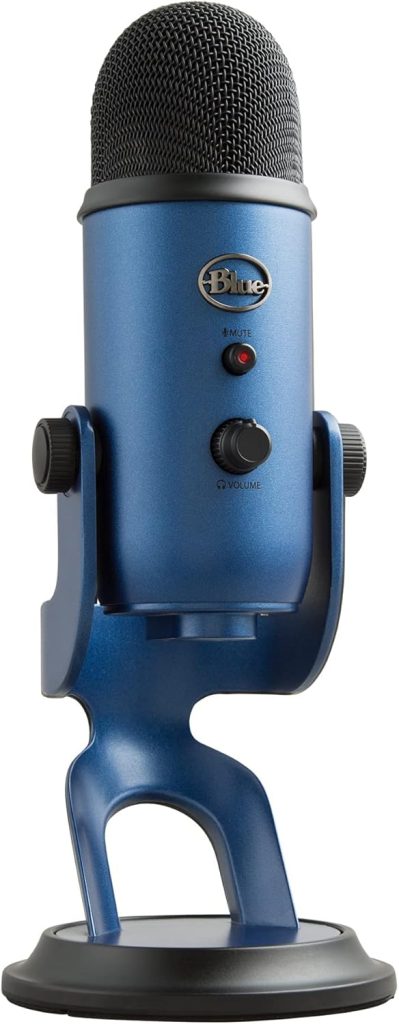
The Blue Yeti X offers a blend of sound quality and practical features, making it a favorite among streamers. With its four-capsule condenser array and real-time LED metering, the Yeti X takes precision sound capture to a new level.
Pros
- High-res LED metering visually guides your vocal level.
- Multi-pattern pickup for versatile recording scenarios.
- Customizable sound via Blue VO!CE software.
- Plug ‘n play compatibility with Windows and Mac.
- Built-in headphone output for real-time monitoring.
- Robust build quality ensures durability.
Cons
- Bulkier design not ideal for all desk setups.
- Higher price point than some entry-level options.
Key Features & Benefits
The Yeti X shines with its innovative VO!CE technology, offering advanced voice modulation and effects that can enhance your audio broadcast without needing external mixers. The customizable LED lighting also adds a touch of personal flair to any streaming setup, ensuring that it’s not just your voice that stands out, but your entire streaming persona. For streamers who juggle various audio sources, the multi-pattern pickup is invaluable, allowing seamless transitions between personal commentary and audience engagement.
Moreover, the Yeti X is designed to withstand the demands of frequent live streaming. Its solid construction can handle accidental knocks, which are often part and parcel of lively gaming sessions. This durability, combined with exceptional sound quality, positions the Blue Yeti X as a top contender for serious streamers who cannot afford any compromise in their audio setup.
HyperX QuadCast S
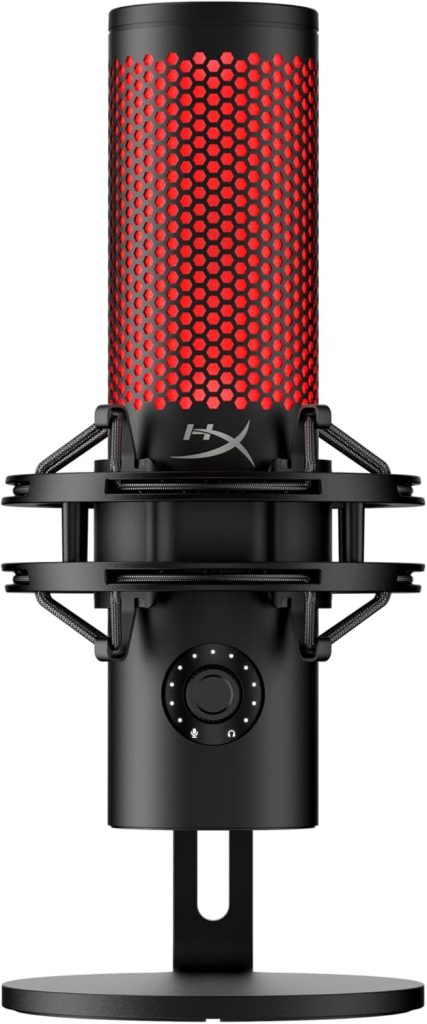
For those who value aesthetic appeal alongside top-notch functionality, the HyperX QuadCast S is a sure hit. This microphone doesn’t just perform well; it looks good while doing it.
Pros
- Stunning RGB lighting with customizable effects.
- Tap-to-mute sensor with LED indicator status.
- Four selectable polar patterns provide flexibility.
- Shock mount and pop filter included reducing unwanted noise.
- Compatible across various platforms including PC, PS4, and Mac.
- Intuitive gain control for easy adjustments.
Cons
- RGB customization requires software installation.
- Can be more expensive than simpler models.
Key Features & Benefits
The QuadCast S distinguishes itself with a vibrant RGB light ring and a sleek design that can be a centerpiece of any gaming setup. Not only does it feature impressive visual aesthetics, but it also includes practical elements like an in-built shock mount to dampen vibrations and a pop filter to minimize plosive sounds. This combination ensures that your audio quality remains pristine, contributing significantly to professional-sounding streams.
Functionality-wise, the versatility in polar patterns allows streamers to adapt the mic to different streaming scenarios, whether you’re narrating a solo adventure or involving your entire squad. The tap-to-mute feature is a thoughtful addition for live streamers, providing an easy way to control audio broadcast during unpredictable live sessions.
How to Choose the Right Top Picks for Best Gaming Microphones for Streaming: Enhance Your Livestream Audio Quality
Choosing the right gaming microphone involves various factors that go beyond mere audio quality. Consider the compatibility of the microphoneenairepreneurdge_validation_DatetimeTarget, paddingTop: 0WITH your streaming setup. Ease of maintenance and the presence of user-friendly features such as mute buttons, gain control knobs, and real-time monitoring can influence your streaming experience.
Moreover, build quality and material endurance are crucial, especially for streamers who frequently adjust and move their equipment. Budget constraints also play a significant role; investing in a microphone that provides long-term reliability without breaking the bank is ideal. Also, keep in mind the warranty and customer support offered, which can save potentially costly repairs or replacements down the line.
FAQ
What makes a microphone great for streaming?
A great streaming microphone delivers clear audio, reduces background noises, and offers features like mute buttons for practical functionality during a live session.
Are USB microphones suitable for professional streaming?
Yes, many professional streamers use USB microphones due to their convenience of plug-and-play operation, superb audio quality, and compatibility with various devices.
Do I need additional equipment with my microphone?
Depending on the microphone, you might need a stand, shock mount, or pop filter to enhance audio quality further, though some mics come with these as part of the package.
Is it necessary to have a microphone with multiple pattern options?
Multi-pattern microphones offer versatility for different types of recordings, but for streaming, a cardioid pattern is usually sufficient as it focuses on sound coming from in front of the microphone.
How can I improve my mic’s sound quality for streaming?
Improving your room’s acoustics, using shock mounts and pop filters, and adjusting the gain settings on your microphone can significantly enhance sound quality.
What is the benefit of having an integrated mixer or software with a streaming mic?
An integrated mixer or software allows for finer control over sound settings like EQ, gain, and compression during your live stream, giving a professional edge to your broadcast.
Conclusion
Choosing the right gaming microphone significantly affects your streaming quality and viewer experience. Whether you prioritize audio quality, ease of use, or aesthetic appeal, the market has a variety of options that can cater to your specific needs. Remember, investing in a good microphone not only improves the sound quality but also enhances viewer engagement, helping you grow your channel. With the right information and a clear understanding of your streaming needs, you can select a microphone that will be your best ally in your journey to streaming success.